

Multiple Downloaders
Since 4.0, AB can connect to more than one downloader at the same time. For example, a qBittorrent on this computer and a qBittorrent or aria2 on a NAS. Each downloader is an instance. An instance has its own id, type, address, account and download path. One instance is the default instance.
With only one downloader, AB operates as in 3.x, and the interface does not show a downloader selection.
Manage Downloaders
Open Settings → Downloader Setting. The top of the section lists all downloader instances. The default instance has a "default" mark.
- Edit: click an instance. Change its type, host, username, password, download path and SSL below.
- Add: type a new downloader id and click Add. The id can contain only letters, digits,
_and-. - Set default: make an instance the default instance.
- Delete: delete an instance. You cannot delete the default instance.
The downloader type can be qBittorrent, aria2 or a downloader from a plugin. After a change, click Save & restart at the bottom. For each option and the config.json format, see Downloader Settings.
Select a Downloader for a Rule
When there is more than one downloader, a Downloader field shows at these locations. Leave it empty to use the default instance.
- Add RSS: select the downloader for the subscription. Subscribe and Collect both use it.
- Bangumi edit dialog → Advanced Settings: select the downloader for one rule.
AB selects the downloader for a new torrent in this order:
- The downloader of the rule.
- If the rule has none, the downloader of the subscription.
- If both have none, the default instance.
A rule that AB makes from a subscription gets the downloader of the subscription. A series that you add from the search bar uses the default instance. You can change it later in Advanced Settings.
AB saves the torrent below the download path of the selected instance.
Where AB Records a Torrent
AB records the downloader that it added each torrent to. Rename and delete operations use that downloader.
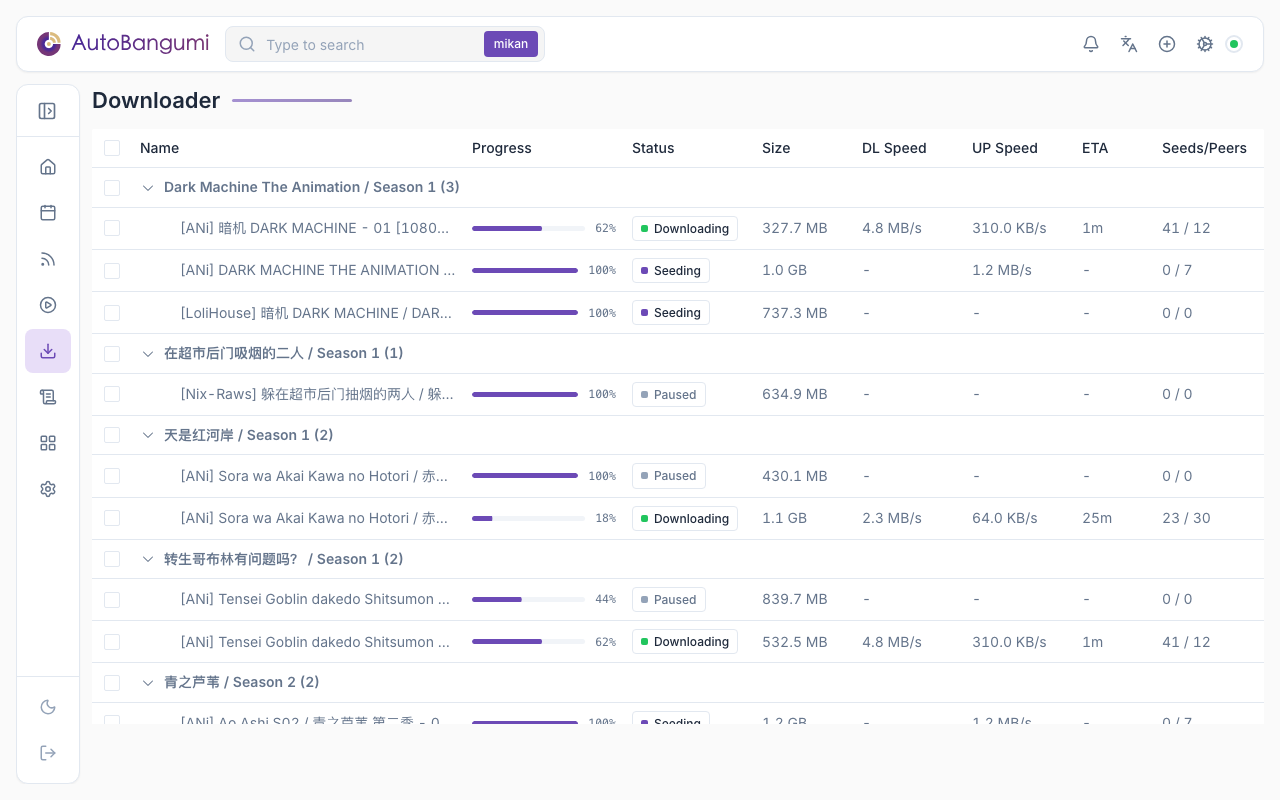
- Downloader page: with more than one downloader, the list has a "Downloader" column. Pause, resume and delete go to the downloader of each torrent.
- Torrent lists: the torrent lists of rules and of unmatched torrents show the downloader of each downloaded torrent.
Existing Torrents After a Change
| Change | Existing torrents | New torrents |
|---|---|---|
| A rule uses a different downloader | Stay in the old downloader at the old location. AB does not move them. AB continues to organize them in the old downloader | Go to the download path of the new downloader |
| You change the default instance | No change | Rules and subscriptions without a downloader use the new default instance |
| You delete a downloader | No change. They stay in that downloader. AB does not connect to it again and does not organize its torrents | Rules and subscriptions that used it use the default instance |
| You delete a rule and its files | AB deletes the torrents of the rule in each downloader that it recorded | — |
When a Downloader Is Unavailable
AB renames torrents one downloader at a time. If AB cannot connect to a downloader, it skips that downloader and continues with the others. When a downloader changes from available to unavailable, AB sends one "Downloader unavailable" notification. If it becomes available and then unavailable again, AB sends a new notification.
If the target downloader is unavailable when AB adds a torrent, AB does not record the torrent. AB tries again at the next RSS refresh.
Upgrade from 3.x
At the first start after the upgrade to 4.0, AB moves the 3.x downloader settings into an instance with the id default. This instance becomes the default instance. AB records all existing torrents in default. Existing rules and subscriptions have no downloader, so they use the default instance. AB keeps a copy of the old configuration file as config.json.v3.bak.