

Downloader Settings
WebUI
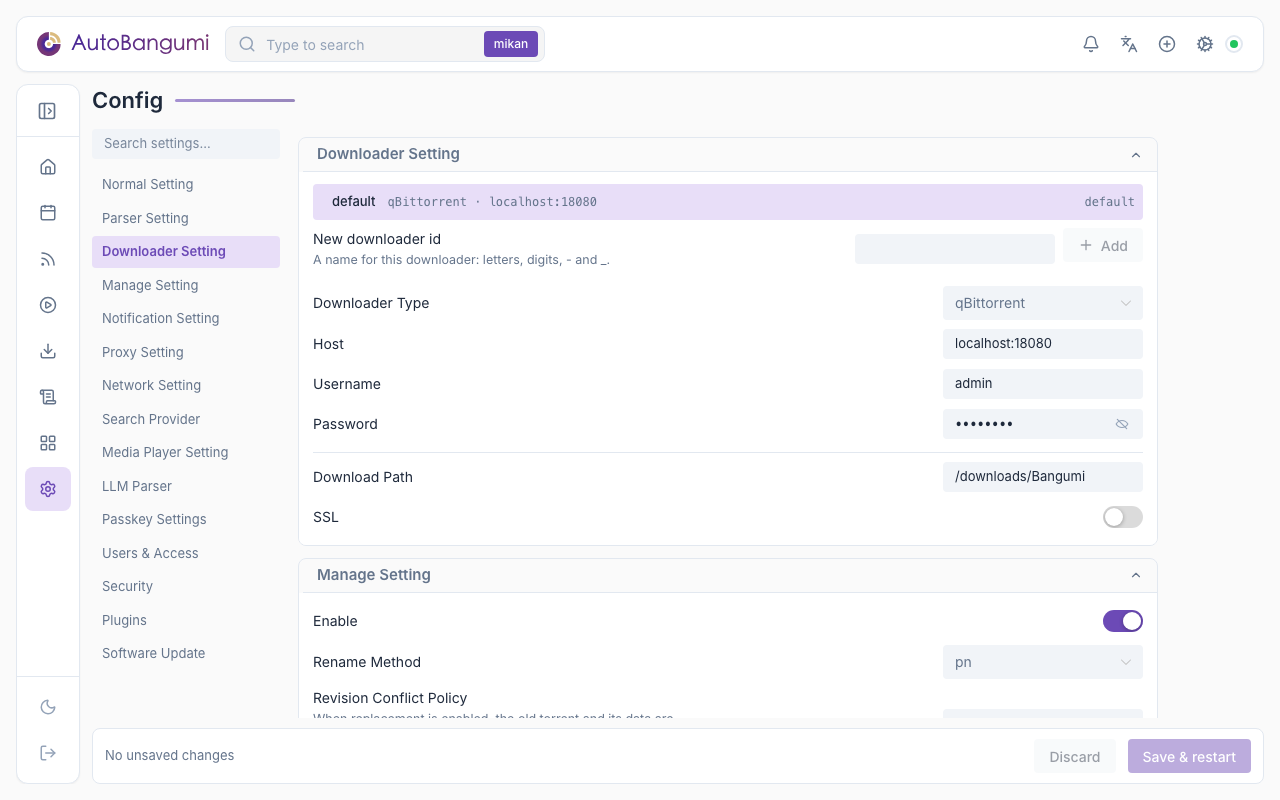
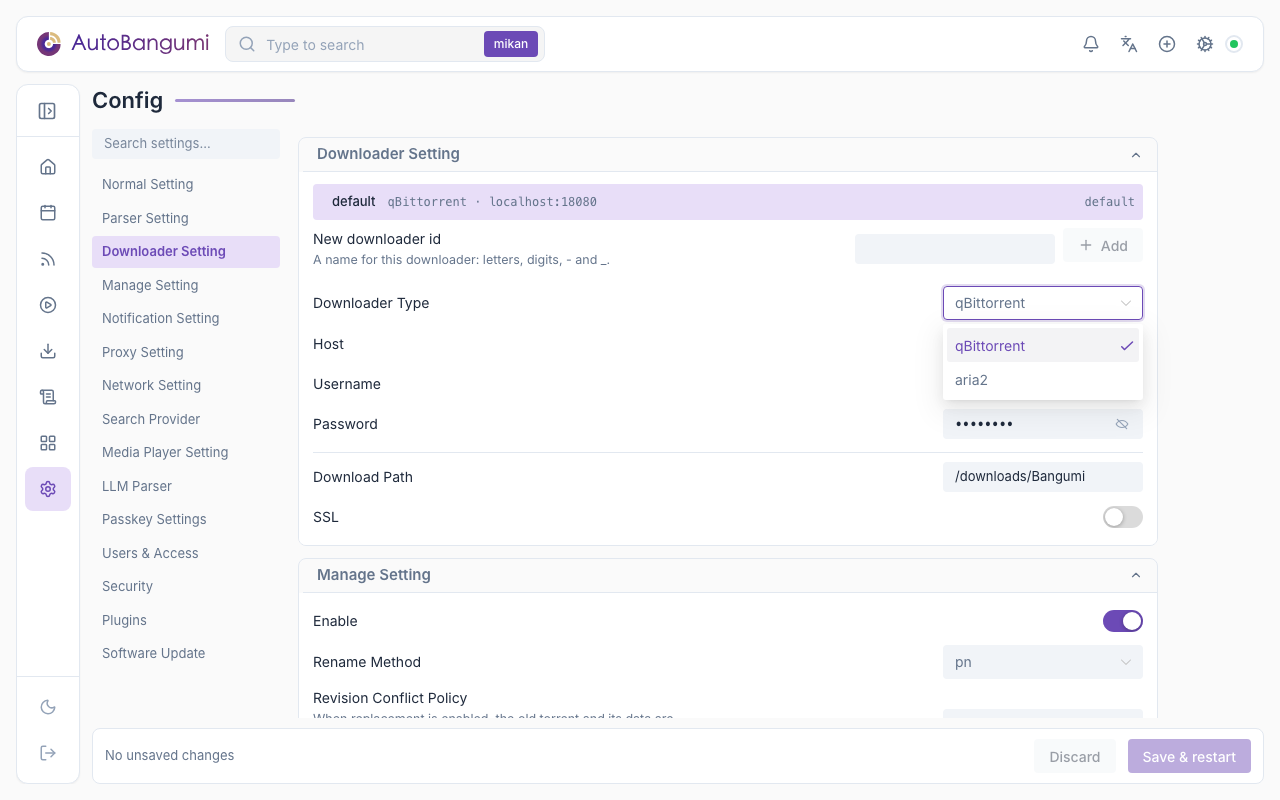
- Downloader Type:
qbittorrentoraria2. - Host: Web API or RPC address. See Downloader address.
- Username / Password: qBittorrent uses WebUI credentials. aria2 ignores username and uses the password field as the RPC secret.
- Download Path: the path as seen by the downloader. See Download path.
- SSL: use HTTPS when connecting to the downloader.
After changing downloader settings, click Save & restart so the downloader client is recreated.
Multiple downloaders
The top of the settings section lists every downloader instance. Click an instance to edit it below. Type a new id and click Add to create an instance; its type can be qBittorrent, aria2 or a downloader from a plugin. Set default changes the default instance. You cannot delete the default instance.
- The rule editor (advanced options) and the add-subscription dialog have a downloader field. Leave it empty to use the default instance. The field is hidden when there is only one downloader.
- A new torrent goes to the downloader of its rule. If the rule has none, it goes to the downloader of the subscription, then to the default instance. A rule created from a subscription takes the downloader of the subscription.
- Each torrent records the downloader it was added to. Rename and delete use that downloader. When a rule moves to another downloader, its existing torrents stay where they are.
- Rename runs once per downloader. An unreachable downloader is skipped, and a "Downloader unavailable" notification is sent the first time it becomes unreachable. The other downloaders continue.
- With more than one downloader, the downloader page and the torrent lists show the downloader of each torrent.
- After you delete a downloader, rules and subscriptions that used it use the default instance. Torrents already in the deleted downloader are not touched.
Downloader Address
WARNING
In Docker Bridge mode, do not use 127.0.0.1 or localhost unless the downloader and AutoBangumi share the same network namespace.
- Downloader in Docker: use a service name on the same Docker network, or a gateway address such as
172.17.0.1:8080. - Downloader on the host: use the host LAN IP.
- AutoBangumi in Host network mode:
127.0.0.1can be used. - aria2 example:
172.17.0.1:6800, with the RPC secret in the password field.
Download Path
Use the path from the downloader's point of view:
- Docker: if the downloader sees
/downloads, use/downloads/Bangumi. - Linux/macOS: for example
/home/user/downloads/Bangumi. - Windows: for example
D:\Media\Bangumi.
config.json
A downloader is an entry in plugins.instances whose point is downloader. plugins.slots.downloader is the id of the default instance (default by default). When you add an instance on the settings page, its id can contain only letters, digits, _ and -:
"plugins": {
    "slots": { "downloader": "default" },
    "instances": [
        {
            "id": "default",
            "point": "downloader",
            "provider": "qbittorrent",
            "options": { "host": "172.17.0.1:8080", "username": "admin", "password": "adminadmin", "path": "/downloads/Bangumi", "ssl": false }
        }
    ]
}
On the first start after an upgrade to 4.0, the 3.3 downloader section moves to the default instance automatically. The original file is kept as config.json.v3.bak. If the migration fails, AutoBangumi restores the original file and does not start. See Plugin Settings.
AutoBangumi reads the environment variables AB_DOWNLOADER_HOST, AB_DOWNLOADER_USERNAME, AB_DOWNLOADER_PASSWORD and AB_DOWNLOAD_PATH only on the first start, when no config file exists. They set the default instance. The values of host, username and password can contain environment variable references in the form $VAR. AutoBangumi expands them when it uses the values.
| Key | Description | Type | WebUI field | Default |
|---|---|---|---|---|
id | Instance id | string | New downloader id | default |
provider | Downloader type | string | Downloader Type | qbittorrent |
host | Downloader address | string | Host | 172.17.0.1:8080 |
username | Downloader username | string | Username | admin |
password | Downloader password or aria2 RPC secret | string | Password | adminadmin |
path | Download path | string | Download Path | /downloads/Bangumi |
ssl | Enable HTTPS | boolean | SSL | false |