
Skip to content

Proxy and Reverse Proxy

Proxy

proxy


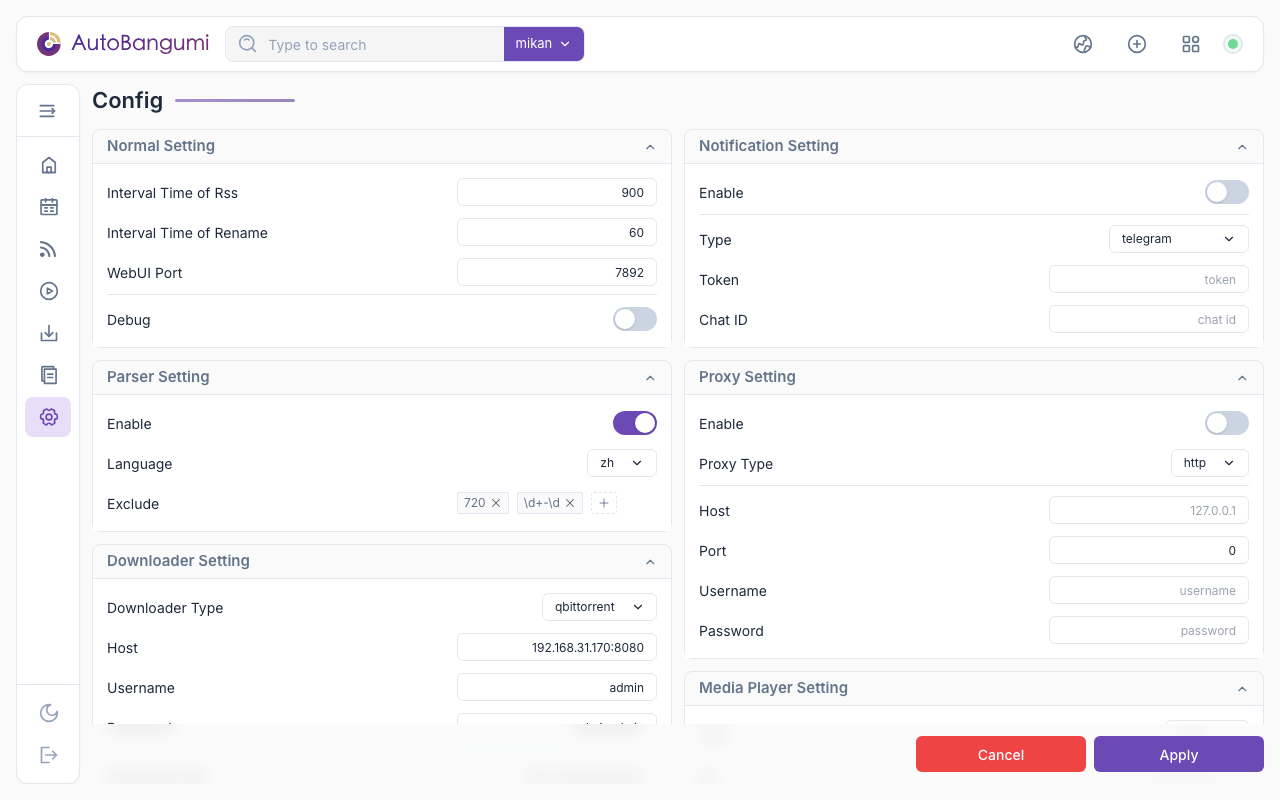
AB supports HTTP and SOCKS5 proxies to help resolve network issues.

  • Enable: Whether to enable the proxy.
  • Type is the proxy type.
  • Host is the proxy address.
  • Port is the proxy port.

TIP

In SOCKS5 mode, username and password are required.

config.json Configuration Options

The corresponding options in the configuration file are:

Configuration section: proxy

ParameterDescriptionTypeWebUI OptionDefault
enableEnable proxyBooleanProxyfalse
typeProxy typeStringProxy typehttp
hostProxy addressStringProxy address
portProxy portIntegerProxy port
usernameProxy usernameStringProxy username
passwordProxy passwordStringProxy password

Reverse Proxy

  • Use the Mikan Project alternative domain mikanime.tv to replace mikanani.me in your RSS subscription URL.
  • Use a Cloudflare Worker as a reverse proxy and replace all mikanani.me domains in the RSS feed.

Cloudflare Workers

Based on the approach used to bypass blocks on other services, you can set up a reverse proxy using Cloudflare Workers. How to register a domain and bind it to Cloudflare is beyond the scope of this guide. Add the following code in Workers to use your own domain to access Mikan Project and download torrents from RSS links:

js
const TELEGRAPH_URL = 'https://mikanani.me';
const MY_DOMAIN = 'https://yourdomain.com'

addEventListener('fetch', event => {
  event.respondWith(handleRequest(event.request))
})

async function handleRequest(request) {
  const url = new URL(request.url);
  url.host = TELEGRAPH_URL.replace(/^https?:\/\//, '');

  const modifiedRequest = new Request(url.toString(), {
    headers: request.headers,
    method: request.method,
    body: request.body,
    redirect: 'manual'
  });

  const response = await fetch(modifiedRequest);
  const contentType = response.headers.get('Content-Type') || '';

  // Only perform replacement if content type is RSS
  if (contentType.includes('application/xml')) {
    const text = await response.text();
    const replacedText = text.replace(/https?:\/\/mikanani\.me/g, MY_DOMAIN);
    const modifiedResponse = new Response(replacedText, response);

    // Add CORS headers
    modifiedResponse.headers.set('Access-Control-Allow-Origin', '*');

    return modifiedResponse;
  } else {
    const modifiedResponse = new Response(response.body, response);

    // Add CORS headers
    modifiedResponse.headers.set('Access-Control-Allow-Origin', '*');

    return modifiedResponse;
  }
}

AutoBangumi is released under the MIT License. (latest: v3.2)