

RSS Feed Setup
AutoBangumi can automatically parse aggregated anime RSS feeds and generate download rules based on subtitle groups and anime names, enabling fully automatic anime tracking. The following uses Mikan Project as an example to explain how to get an RSS subscription URL.
Note that the main Mikan Project site may be blocked in some regions. If you cannot access it without a proxy, use the following alternative domain:
Get Subscription URL
This project is based on parsing RSS URLs provided by Mikan Project. To enable automatic anime tracking, you need to register and obtain a Mikan Project RSS URL:
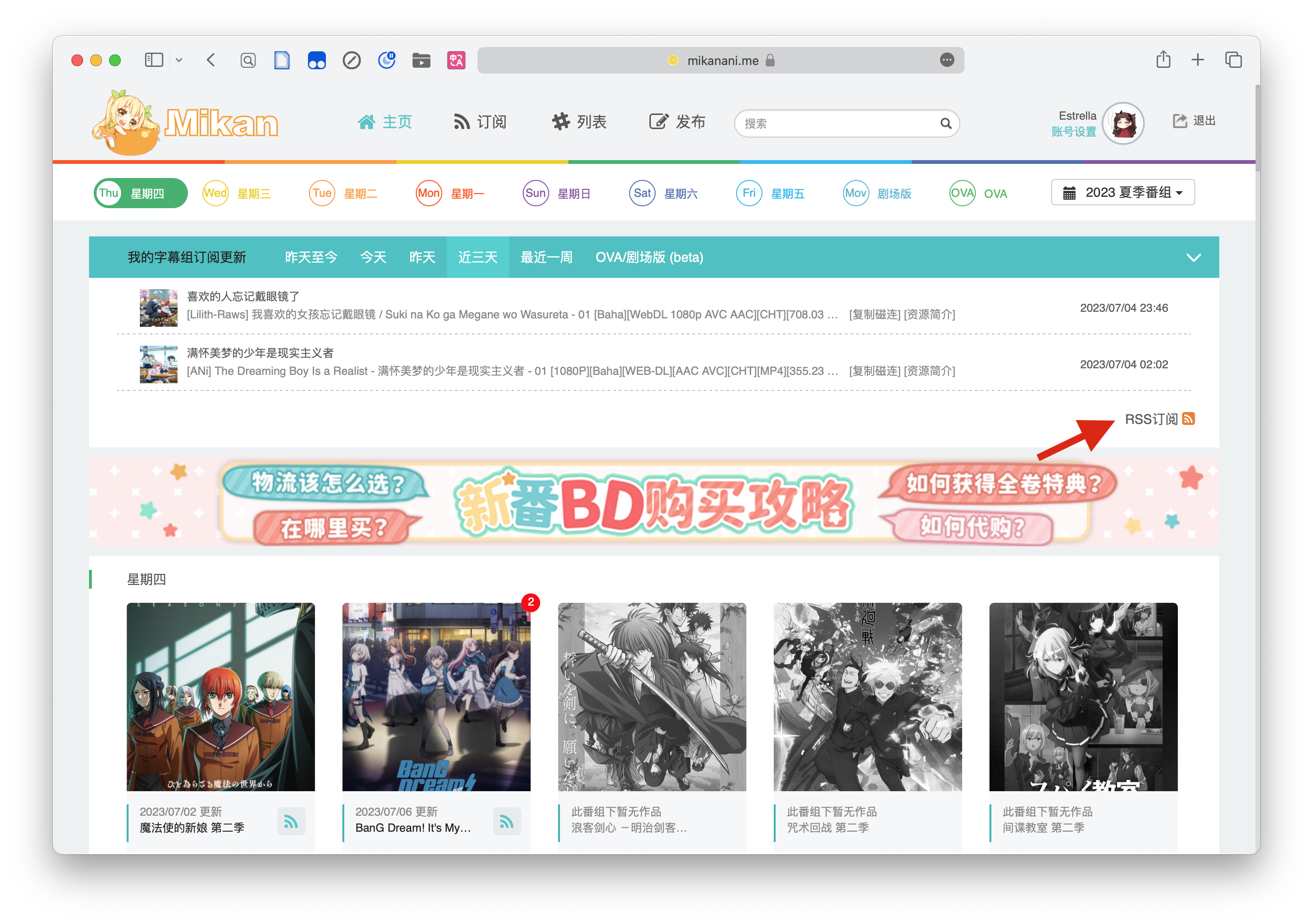
The RSS URL will look like:
txt
https://mikanani.me/RSS/MyBangumi?token=xxxxxxxxxxxxxxxxxxxxxxxxxxxxxxxx
# or
https://mikanime.tv/RSS/MyBangumi?token=xxxxxxxxxxxxxxxxxxxxxxxxxxxxxxxx
Mikan Project Subscription Tips
Since AutoBangumi parses all RSS entries it receives, keep the following in mind when subscribing:
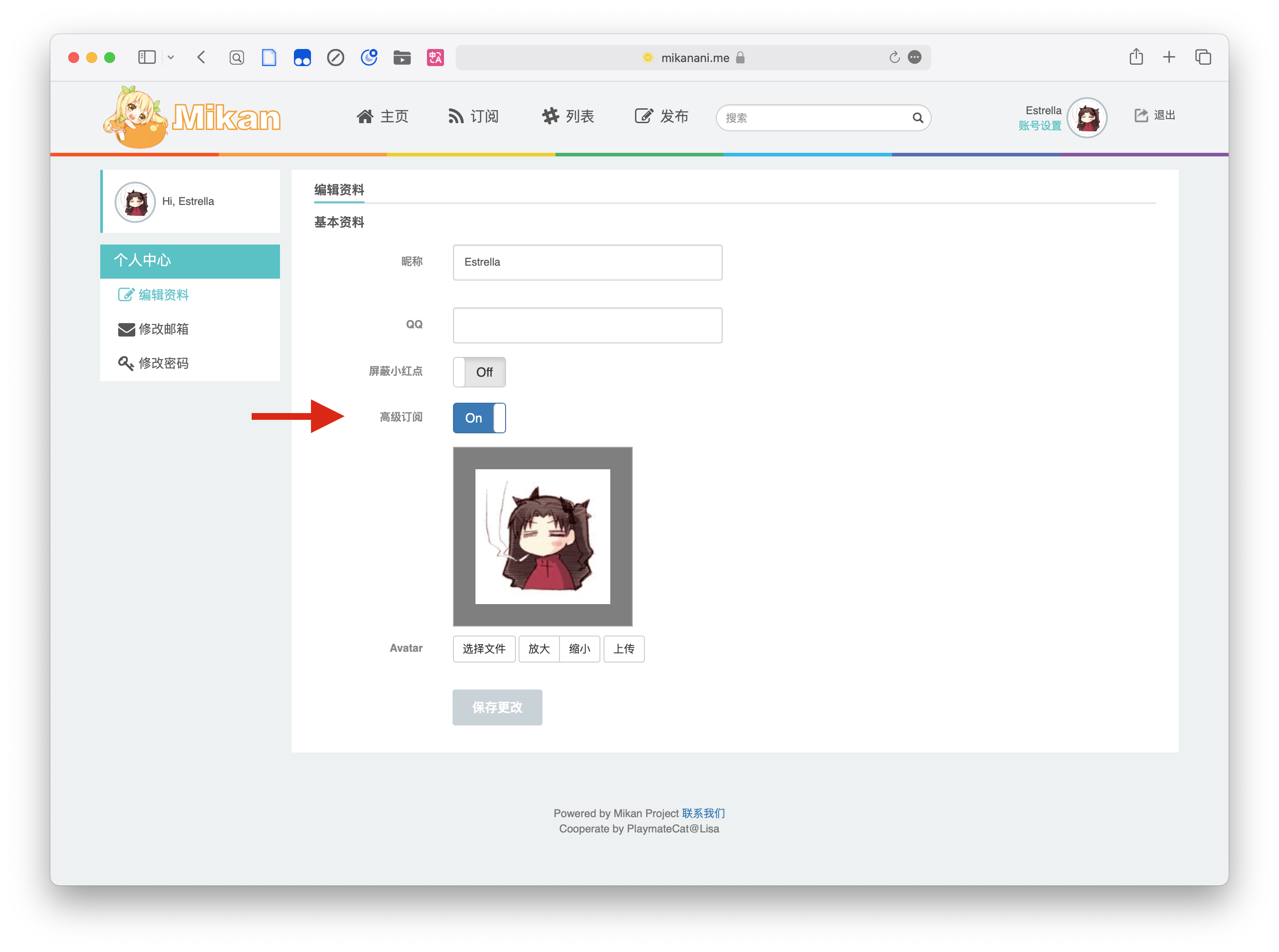
- Enable advanced settings in your profile settings.
- Subscribe to only one subtitle group per anime. Click the anime poster on Mikan Project to open the submenu and select a single subtitle group.
- If a subtitle group offers both Simplified and Traditional Chinese subtitles, Mikan Project usually provides a way to choose. Select one subtitle type.
- If no subtitle type selection is available, you can set up a
filterin AutoBangumi to filter them, or manually filter in qBittorrent after the rule is generated. - OVA and movie subscriptions are currently not supported for parsing.