

Security Settings
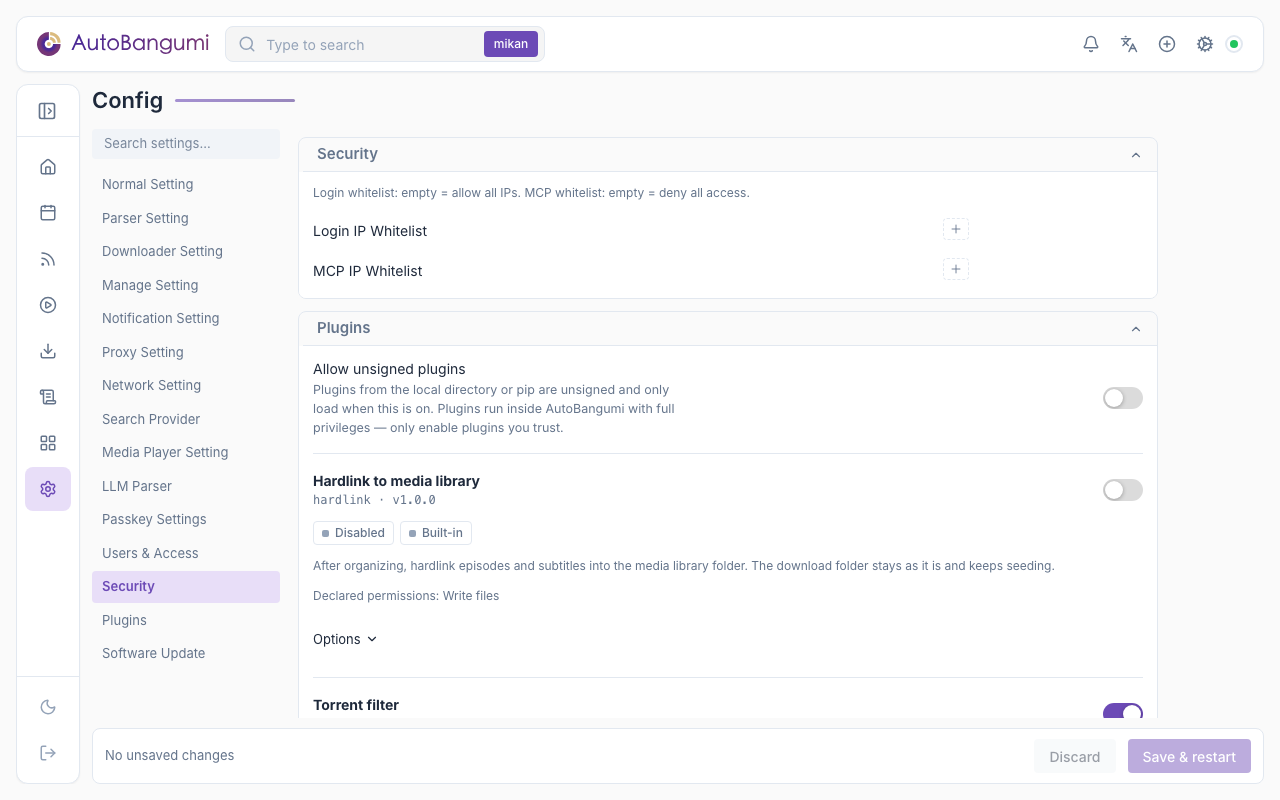
Security settings restrict login and MCP access. Click Save & restart after changing them.
- Login IP Whitelist: IPv4/IPv6 CIDR ranges allowed to access login. Empty means all IPs are allowed.
- MCP IP Whitelist: CIDR ranges allowed to access MCP. Empty means deny IP-based MCP access.
API tokens and MCP tokens are not in this section. Create and revoke them in Settings → Users & Access → API Tokens. See REST API.
config.json
Section: security
| Key | Description | Type | WebUI field | Default |
|---|---|---|---|---|
login_whitelist | Login IP whitelist | string array | Login IP Whitelist | [] |
login_tokens | Legacy login API tokens, see the note below | string array | none | [] |
mcp_whitelist | MCP IP whitelist | string array | MCP IP Whitelist | [] |
mcp_tokens | Legacy MCP API tokens, see the note below | string array | none | [] |
webauthn_rp_id | Passkey RP ID | string | config only | "" |
webauthn_origin | Passkey origin | string | config only | "" |
INFO
login_tokens and mcp_tokens are legacy 3.x keys. At startup, AB imports their tokens as API tokens (scope api and mcp) and then clears both keys.